Showing posts with label Asus. Show all posts

Friday, July 15, 2011

Asus Eee PC 1215P 12.1-inch,Great New Netbook


Asus Eee PC 1215P-the latest contender in the increasingly crowded netbook.Stands out for its open source operating system Ubuntu.Asus – the biggest seller of notebook or netbook to businesses, and a behemoth in the whole tech world of software and service.
Now release new netbook with Ubuntu 10.10 Maverick Meerkat operating system in Europe, called the Eee PC 1215P.


Netbooks are suitable for your personal needs, to accompany work, study or business.

Eee PC 1215P comes with a fairly elegant design with a bandage choice of black or red, not too thin but still comfortable to carry anywhere.


This netbook has been supported by software and hardware technologies and features that are qualified enough to be one of the best netbooks are recommended to be purchased


Asus Eee PC 1215P netbook is based on the 1.66GHz Intel Atom N570 dual-core CPU, a 2GB DDR3 RAM, a 250GB or 320GB hard drive, and a 12.1-inch LED backlit display with supports resolution of 1366×768 pixel.

Asus Eee PC 1215P netbook also has brings WLAN 802.11 b/g/n, optional Bluetooth 3.0, a VGA webcam, a multi-format memory card reader, a D-Sub video output, three USB 2.0 ports, and 6-cell battery pack.

Eee PC 1215P have the most competitive price, with prices ranging from 279.47 euros you can get a notebook with cutting-edge features and advanced class.


Wednesday, May 11, 2011

Asus Eee PC 1015PX, New Slim and Stylish Netbook


Recently, Asus has presented the latest netbook has a slim and stylish design.This netbook supported by the processor is quite capable and the newest class latest of Atom N570 . Asus Eee PC1015PX Netbook has a 10.1-inch screen resolution 1024 x 600 pixels and 1GB of memory and use the OS Windows 7 Starter Edition, 0.3MP camera, 80211b/g/n WiFi, and Bluetooth 3.0.


In addition, Asus Eee PC is also equipped 1015PX Webcam, Bluetooth 3.0, Wi-Fi 802.11b/g/n, LAN, and Windows 7 Starter Operations system. The following Specifications and Features Complete New Netbook Asus Eee PC 1015PX

Asus Eee PC 1015PX Netbook Specifications :

Operating System :
Genuine Windows® 7 Starter Express Gate
Display :
10.1" LED Backlight WSVGA (1024x600) Screen
CPU :
Intel® Atom™ N455/N570 Processor
Memory :
DDR3, 1 x SO-DIMM, 1GB ( Maximum 2GB )
Storage :
2.5" SATA 250GB/320GB/500GB HDD
Wireless Data Network :
WLAN 802.11 b/g/n@2.4GHz
Bluetooth :
V3.0
Camera :
0.3 M Pixel Camera
Audio :
Hi-Definition Audio CODEC Stereo Speakers
High Quality Mic
Interface:
1 x VGA Connector
3 x USB 2.0
1 x LAN RJ-45
1 x Audio Jack (Headphone/Mic-In)
1 x Card Reader : SD/ SDHC/ MMC

Battery :

11hrs (6cells, 56W/h) battery life
10hrs (6cells, 48W/h) battery life
4.5hrs (3cells, 23W/h) battery life


Dimensions :
262 x 178 x 23.6 ~36.4 mm (WxDxH)
Weight :
1.25 Kgs (w/ 6cell battery)
1.1 Kgs (w/ 3cell battery)
Color:
Matte : Black, Blue, Red, White
Glossy : Black, Red, White


Asus Eee PC 1015PX netbook is very suitable for you who want seseuatu simple but still elegant to wear, for the price of the Asus Eee PC netbook 1015PX From $ 346 to $ 389.

So what are you waiting soon have the latest netbook from Asus, and make it as an option to buy the best netbook in 2011

Thursday, August 26, 2010

ASUS Eee PC 1015PEM Netbook Specs and Price


Have attended the latest netbook from Asus, which is the First Dual Core Atom N550 Netbook On The Block.Asus Eee PC 1015PEM equipped with the new processor dual-core Intel Atom N550 1.5GHz processor and a powerful RAM, it Should be Able to handle 720p HD quality video playback without any slowdown or stuttering.


ASUS Eee PC 1015PEM Specs :

For specifications of this netbook is: 10.1-inch screen resolution 1024 x 600 pixels, up to 2GB of DDR3 memory, 250GB hard drive data space, Intel GMA 3150 Graphics Card, do not miss the Wifi connection means, of course Bluetooth and Webcam.

ASUS Eee PC 1015PEM available in several colors: red, black, white and pink

ASUS Eee PC 1015PEM Price :


You do not have to worry about the price of the ASUS Eee PC 1015PEM, who would you be satisfied with the price in accordance with the abilities possessed by this netbook.Eee PC 1015PEM estimated sale price of approximately $441


Wednesday, August 25, 2010

Asus N53JN,Best Buy Multimedia Notebook


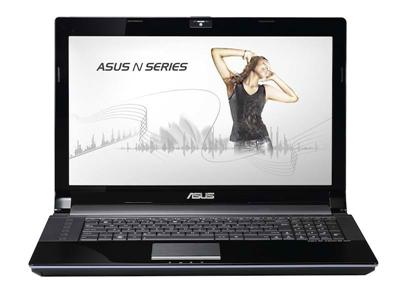
For those of you who want a multimedia notebook with adequate capabilities and features may be the latest N series notebooks from Asus this could be the best option to buy a multimedia notebook.Asus N53JN is the latest notebook products with support from Bang & Olufsen audio.


This notebook equipped with 15.6-inch screen resolution 1366 x 768 pixels, Intel Core processor 2.4GHz or 2.4GHz I3-370M-520M Intel Core i5, nVidia GeForce graphics card 1GB of dedicated graphics GT325/415M, 320GB/500GB 5400rpm hard disk, memory for DDR3 RAM 4GB and of course the operating system Windows 7 Home Premium 64bit.

For other specifications is like Blu-ray Combo, 7-in-1 card reader, two USB 2.0 ports, one USB 3.0 port, 802.11b/g/n WiFi connection, HDMI port, D-Sub, RJ45, Webcams and 6-cell battery.

Asus N53JN perfect for a notebook with the purchase price in accordance with the features it has.For the price of Asus N53JN estimated at about £ 649.99 - £ 999.


Asus N53JN Video Preview :

by:laptopreviewshop


Monday, December 7, 2009

New Asus P50IJ-SO036X Notebook Review


One more new product P series notebook from Asus.This notebook suitable for business users.Asus P50IJ-SO036X has an amazing feature to ensure a comfortable use with IceCool technology.Features of this notebook include powered by a 2.0GHz Intel Core 2 Duo T5870 CPU, a GMA 4500M integrated graphics, a 250GB hard drive, and a 2GB of RAM.

It also still a lot of support features such as 15.6-inch TFT display with a native resolution of 1366 x 768 pixels, an 8x DVD burner, 0.3 megapixel webcam, a Gigabit Ethernet, Wi-Fi, a 3-in-1 card reader, and Altec Lansing speakers.


In the run all the existing systems, this notebook uses Windows 7 Professional 64bit. It has weight is 2.7kg and dimensions of 370×256x31~35 mm. The Asus P50IJ-SO036X notebook has costs at 589 EUR and it is available in German and Austria. No word about availability on other market.


Asus P50IJ-SO036X Specifications :


- Display: 15.6-inch HD 16:9 anti-glare TFT with 1366×768 resolutions
- Processor: Intel Core 2 Duo T5870 (2.0 GHz, 800 MHz FSB, 2 MB L2 cache)
- Chipset: Intel GL40
- Graphics: Intel GMA 4500M
- Memory: 2,048 MB DDR2 667 (1x 2048 MB, 4 GB maximum)
- Hard Drive: 250GB S-ATA HDD 5400RPM
- Operating system: Microsoft Windows 7 Professional (OEM) - 64bit
- Drive: 8x DVD-Super Multi D/L Double Layer
- Interfaces: 3in-1 Card Reader, VGA Out, 4 x USB 2.0, headphone, microphone
- Network: LAN 10/100/1000 Mbps RJ-45
- 802.11b/g/n WLAN integrated
- Comprehensive software included
- Special features: Matte screen, matte casing, 0.3 Megapixel Webcam, number pad, ASUS
Ice Cool design (cooler palm rest with improved heat dissipation), Altec Lansing
speakers, power-efficient LED Backlight
- Weight: about 2.7 kilograms
- Dimensions: 370 x 256 x 31 ~ 35 mm
- Color: black

via

Tuesday, November 10, 2009

ASUS K50AB-X2A Gaming Notebook Review


One more products of Gaming Notebook from Asus.How can you not interested in this notebook? Because equipped with an assortment of impressive features, especially for gaming enthusiasts.Features carried from this notebook include

16.6″ HD LCD display offers 1366 x 768 resolution, supported by ATI Mobility Radeon HD 4570 graphics card with 512MB video memory. Powered by powerful 2.2GHz AMD Turion X2 RM-75 processor, 4GB ram and equiped with 320GB HDD at 7200rpm, in overall It’s identical to ASUS K70AB-X2A.


The notebook also features with DVD RW Super Multi, 802.11 b/g/n WiFI, 1 HDMI port, card reader and 1.3MP webcam, It come with Microsoft Windows 7 Home Premium. Price, newegg has ASUS K50AB-X2A NoteBook PC for $599.99.

ASUS K50AB-X2A Specifications :

Model
Brand : ASUS
Series :K50 Series
Model :K50AB-X2A

General
Operating System : Windows 7 Home Premium
CPU Type : AMD Turion X2 RM-75(2.2GHz)
Screen : 15.6"
Memory Size : 4GB DDR2
Hard Disk : 320GB
Optical Drive : DVD Super Multi
Graphics Card : ATI Mobility Radeon HD 4570
Video Memory : 512MB DDR2 VRAM
Dimensions : 14.8" x 10.24" x 1.3-1.4"
Weight : 6 lbs.

CPU
CPU Type : AMD Turion X2
CPU Speed : RM-75(2.20GHz)
CPU L2 Cache : 1MB

Display
Screen Size : 15.6"
Wide Screen Support : Yes
Resolution : 1366 x 768

Operating Systems
Operating System : Windows 7 Home Premium

Graphics
GPU/VPU : ATI Mobility Radeon HD 4570
Video Memory : 512MB DDR2 VRAM
Graphic Type : Dedicated Card

Hard Drive
HDD : 320GB
HDD RPM : 5400rpm

Memory
Memory : 4GB

Optical Drive
Optical Drive Type : DVD Super Multi
Optical Drive Interface : Integrated

Communications
LAN : 10/100/1000Mbps
WLAN : 802.11b/g/n

Ports
USB : 4
Video Port : 1 x VGA
Audio Ports : 1 x Microphone jack; 1 x Headphone jack

Audio
Audio : Integrated Sound card
Speaker : Internal Speakers

Input Device
Touchpad : Yes
Keyboard : Standard

Supplemental Drive
Card Reader : SD, MMC, MS
Webcam : 1.3MP

Power
Battery : 6-cell lithium ion

Physical spec
Dimensions : 14.8" x 10.24" x 1.3-1.4"
Weight : 6 lbs.

Manufacturer Warranty
Accidental Damage Warranty : 1 year ASUS Accidental Damage Warranty - Drops, Fire, Spill, Surge
Parts : 3 years limited
Labor : 3 years limited

Monday, October 19, 2009

ASUS G51J Review


The G51J is the latest 15-inch gaming notebook from ASUS, sporting the new Intel Core i7 mobile processor and Windows 7 operating system. This notebook shares a lot of features with the previous G51VX, with only a hardware refresh to support the Core i7 processor. With a starting price of $1,499, it is priced $200 below the previous version ... which is a huge plus for buyers on a budget. Check out our full review to see how this Core i7 update performs.

ASUS G51J Specifications:

* Windows 7 Home Premium (64-bit)
* Intel Core i7-720QM (1.6GHzGHz, 1333MHz FSB, 6MB Cache)
* 15.6" WUXGA FHD LCD display at 1920x1080
* NVIDIA GeForce GTX 260M 1GB GDDR3 memory
* Intel 1000AGN Wireless, Bluetooth
* 4GB PC3-8500 DDR3 SDRAM (2GB x 2)
* Two 320GB Seagate 7200RPM Hard Drives
* DVD SuperMulti
* Webcam, Altec Lansing speakers, Backpack, Razer Copperhead USB mouse
* 120W (19V x 6.32A) 100-240V AC Adapter
* 6-cell 53Wh 11.1v 4800mAh Lithium Ion battery
* Dimensions (WxDxH): 14.6" x 10.3" x 1.3-1.6"
* Weight: 7lbs 8.2oz
* 2-Year Global Warranty/1-Year Accidental damage
* Price as configured: $1,499

source

Friday, October 16, 2009

ASUS UL30A Notebook Complete Feature


This is the answer to your ASUS notebook that requires a thin, long battery, and an inexpensive price. This model is powered by Intel Core 2 Duo SU7300 1.3 Ghz CULV.


Increasing competition Thin Notebook

In accordance with the trend we saw at Intel's notebook buying guide CULV Tambah.info, succession will be many notebook models that tempt us with its thin, lightweight, and long battery. Month of October will be marked with the availability of the ASUS UL30A the battery up to 12 hours

ASUS UL30A Feature

* Designed slim with a thickness 14 to 24 mm. Weight 1.7 kg with 8 cell battery.
* Power battery for up to 12 hours with 8 cell battery is 5600 mAh. Effectiveness
is maximized by the ability of the battery Power4Gear software that can turn off
unnecessary equipment when they are not used.
* Brushed aluminum finish for endurance performance even when used from day to day.
* Chicklet Keyboard
* Altec Lansing speakers are specially placed so that the sound can be reflected
upwards by the surface where placed and achieve notebook amplification and
frequency range wider. ASUS claims the power of the speakers 30% higher than the
class notebook rivals.
* SRS Premium Sound for surround sound effects.
* Multiple gesture touchpad for navigation of documents and images easier.

source :tmbh

Sunday, October 11, 2009

Asus UL Series Lightweight Notebook Review


Asus release 3 lightweight notebook called UnLimited (UL) Series. There are UL30, UL50AG and UL50VG. All of them based on Intel CULV processor and made by brushes aluminum cover.


These slim notebook powered by Intel Core 2 Duo SU7300 processor, up to 500GB of HDD, wifi a/b/g/n, bluetooth, webca, touchpad with multitouch and Windows 7 operating system. The screen size is different, Asus UL 30 has 13.3-inch, Asus UL50AG and Asus UL50VG has 15.6-inch screen.

Asus said this UL Series can be work at 12-hours battery life with energy saving profile the Asus Power4Gear. Also you can switch to Turbo mode if you want more power and performance. Available in the UK on 22 October and the price for Asus UL30 (£599), UL50AG (£699) and UL50VG (£799).

source : dailydigitals

Tuesday, October 6, 2009

Asus G60VX Gaming Notebook Review

Asus shows courage for design and equips the G60VX with a white notebook lid with a futuristic stamp. There is also a Core 2 Duo T9400 and a GeForce GTX 260M that provide for exceptional performance values inside of the 16.0 inch case. We have looked at the notebook closer and clarified the question if Asus has achieved to make a replete gaming notebook with the G60VX that can impress even beyond its looks.


ASUS Gaming Laptops G60Vx Specification

* CPU: Intel® Core 2 Quad Q9000 Processor – 2 GHz
* Chipset: Intel® PM45 Express Chipset / ICH9M controller
* Main Memory: 4GB – DDR3
* Display: LCD 16 inch – resolution 1,920 x 1,080 – LED backlight – Full HD
* Graphics: nVidia® GeForce GTX 260M with GDDR3 1GB VRAM
* Hard Drive: 1 TB – Serial ATA 5400 rpm – Dual Drive
* Optical Drive: Blu-ray Combo Drive
* Web Camera: 2 Mega-pixel Built-in camera
* Ports: USB 2.0 x 3, IEEE 1394 FireWire x 1, E-SATA, HDMI, S-Video
* Operating System: Genuine Windows Vista 32/64 bit Premium or Ultimate Version
* Dimensions: 375 x 265 x 40 mm^3
* Weight: 3.3 kg
via notebookcheck

Thursday, September 3, 2009

ASUS N81Vp Notebook Review


ASUS N81Vp with 14.1-inch display size is designed as a multimedia notebook to handle all the tasks the user, the latest games and HD video decoding. Asus used components 4GB RAM, Intel Core 2 Duo T9550, ATI Mobility 4650 graphics with GDDR3 1GB memory. ASUS notebooks are also N81Vp looks classy from the outside, almost equal to the class design HP DV series. Exterior design of glossy black and bronze paint dark metalick with pinstripe pattern of vertical lines broken.


While in its interior, there is a change in color to the color of gold and copper on the touchpad, the keyboard is also black. With display brightness set to 70 percent, wireless is also active, the notebook can last only 2 hours and 20 minutes prior to the standby mode with the battery portion 3 percent. Power consumption is also a fluctuation between 19 to 21 watts.

Advantages ASUS N81Vp:
Perfect cooling system
Fast processor
Good quality design
Port more than 17-inch notebook

Disadvantages: battery life is less

Asus N81Vp Specifications:

OS: Windows Vista Home Premium (SP1, 32-bit)
Processor: Intel Core 2 Duo T9550 (2.66GHz, 6MB L2 Cache, 1066MHz FSB)
Display: 14.1 “Widescreen TFT LED backlighting (1366×768)
Memory: 4GB PC2-6400 DDR2 SDRAM 800MHz
Chipset: ATI Mobility Radeon 4650 1GB GDDR3
Harddisk: 320GB 7200RPM SATA
Optical: Dual Layer CD / DVD Recordable
Camera: 1.3 megapixels
Wireless: Atheros AR928X B / G Wireless and Bluetooth Version 2.0 + EDR
Weight: 5lbs 11.1oz
Dimension: 13.5 x 10.1 x 1.6 ”
Warranty: 2 years
Battery: 6-cell 11.1V 4800mAh
Price estimate: $ 1,399

via dhanti

Tuesday, September 1, 2009

Asus U20A Review


Certainly never seen a butterfly with beautiful wings flying to and fro is not it? Well, strength, beauty, and thinness of butterfly wings that’s inspired when designing notebook Asus with these U20A series.

Therefore, despite the wide screen, 12.1 “, Asus U20A designed not as thick and heavy as notebooks in its class. Thinnest part of the notebook is 2.75 cm, while the most 2.9 cm thick. The weight of the following notebook 6-cell battery it was only 1.834 kg. In fact this notebook comes complete with an optical drive, aka DVD-RW drive. Li-Ion battery of its own weight 298 grams.


One cause of light and thin U20A is the use of Intel processors CULV (consumer ultra low voltage), the Intel SU2700 combined with the Intel GS45 chipset, X4500 graphics MHD and a Wi-Fi Link 5100 Wi-Fi. Thin and light notebooks with long-lasting batteries, plus an affordable price is going up the ladder of popularity. More days, more and more notebook of this type available in the market, such as Acer and MSI Slim Timeline X.

But if Asus was able U20A beat his rivals? Let us examine one by one facility of this thin notebook.

Physical
We start from the outside view. Like most notebooks, Asus U20A body made of plastic. All the shiny black body. In the middle of the glossy cover that Asus logo appears.

As usual, the glossy cover was pretty inviting enough fingerprint impressions that we must often wipe. The same thing happened with palmrest panel and LCD frame.

Minimal Screws
Let us turn this notebook for a while. At the bottom we will see the two compartments. Close hinges are smaller, and is a place of memory. DDR memory compartment is only locked by one screw, so easy to open if we want to upgrade memory.

The other compartment is where the hard drive. This compartment is also minimal screws, only guarded by two screws. The lack of screws is easier for us to upgrade their own hard drive.

Screen
When his cover is opened we will see the layer-featured LCD LED-backlit. Size 12.1 “with a resolution of 1280×800 pixels standards. LCD screen is framed by a glossy black panel with cover U20A. There was little effect of reflection from this shiny frame.

Display LED backlit screen was bright, sharp, clear, and precise. At any level of 50 percent, the display is looking very bright. Light level adjustable LCD itself, or from sensors that will adjust the light level in the room where the notebook.

Webcams
In the middle of the LCD panel, as usual, installed a 2-megapixel Webcam. Activate by double-clicking on the menu icon LifeFrame. This camera can set the frequency. When you first activated, you will be presented box contains the location and the recommended frequency of Asus. Webcam quality was good, almost without pause. Images looked bright and clear.

Results recorded images can be saved in BMP, JPG, or GIF. Quite a few options that can be done by recording the picture. Among other images can be added emotion, frames, accessories, date. Resolution images can be selected between 160×120, 176×144, 320×240, 640×480, and 1280×1024.

Sequential shooting (continuous shot) shall be done. The options are 3, 5, 12, or 15 frames per second. If the room where the object is felt less light, do not forget to turn on the flash. Moda bidiknya can choose between Night Scene, Portrait, Slow Shutter and Custom.

Voice recorder is also available in LifeFrame applications. What’s interesting is Game bid. Here, two images can be positioned in a frame, with a choice: vs.., Pair?, And the symmetry face. The effect is very interesting. Symmetry face if elected, it will present a vertical white lines on the screen Webcam. Position your face in the line, and see the effect. If you’re down, on the right side of your face will attend the ‘fat’ and on the left side of the present version of the ‘thin’.

Clean the Rear
The back of the notebook is clean. No nothing there, except slot Li-Ion batteries. So when I first had to charge the rechargeable batteries, we got confused. We did not find a hole to plug, DC plug-in at the back of this. On the other sides we did not find the hole. Inquired had inquired, was the DC-in jack hidden in a rounded right hinge – a clever way to make the notebook is clean of the hole.

Condition of the back of the net from this hole with two opposite sides of a solid port. Look at the right side. Besides DC hole-in at the hinge, each present a single USB port, LAN port, an ExpressCard slot and a DVD-RW drive.

We shifted to the left side. Well, this side really colonized various ports. There are two USB 2.0 ports located by a separate air vent, a VGA port, one HDMI port and SD card slot. Appearing in the front two jacks: microphone and headphones.

Meanwhile at the front, two Altec Lansing speakers ready to let out the sound. Unfortunately in our opinion, the sound quality of big named players is less clear. His bass-less steady.

Keyboard and Touchpad
Keyboard panel is impressive U20A. The buttons have a light sensor and could be burning brightly in the darkness. To turn on the light sensor, press Fn-A. Light level can be controlled by pressing Fn-F3/F4/F5.

These buttons is wide enough to each other so comfortable to wear. No need too loud knock on every button.

Who also seized the attention of the touchpad. Not because of the width and right-left buttons into one button that turns out wide chrome uncomfortable suppressed because it was a little inside. But since this touchpad also be lit with a pattern of dots follow the direction of movement of our fingertips.

As a result, this notebook can actually be used perfectly in total darkness, including in aircraft. For all glowing – keys, display, and touchpad – by itself. Unfortunately U20A touchpad is too sensitive, especially if used for a long time.

Wireless Features
For wireless connections in the U20A, Asus provides Intel’s Wi-Fi 802.11/draft-n, and Bluetooth v2.1. Just do not look for Wi-Fi switch on the body of this notebook.

In this notebook, Asus liked the style shortcut keys to control various things. So to activate or turn off the Wi-Fi and Bluetooth, we need to press Fn-F2 key.

Two Power Button
Maybe you will be confused to see there are two power buttons – each on the left and right upper panel of the keyboard. Both activate the computer.

The difference is, the power button on the left is a shortcut button, to turn into notebooks without operating system or access the hard disk. The emphasis will activate special modes Asus Express Gate. Express Gate adaah basically a mini operating system. This mode is very useful for those who are always mobile, and often need to the Internet or view files quickly.

Within eight seconds left after the power button is pressed, the notebook can be used.
We can listen to music or watching movies from the CD / DVD or USB flash disk, call via Skype, and talk (chat) with instant messaging, including playing games online via a wireless connection (Wi-Fi).

We are also free to look at pictures or images on the USB flash disk or digital camera connected to a notebook via a USB port Photo Manager. Read PDF files that fester in the USB flash disk can be by clicking on the file twice.

We just can not keep or take anything to / from disk. System-based Asus Express Gate Splashtop operating system it’s not accessing the notebook hard disk, including operating system activates. That’s why quick access.

To exit the ExpressGate mode, just turn off the computer off via the power button that appears at the bottom right corner of the screen. Or choose to go to the OS, which will enable the notebook as if we press the power button to the right. In normal conditions, we can access anything on the hard drive. It took 1 minute 32 seconds before the bersistem notebook Windows Vista Ultimate can be used.

Bundle Software
Asus software membundelkan enough in his U20A. For software, is paired Adobe Reader 9 and MS Office (trial version), Cyberlink DVD Suite, Lightscribe Direct Disc Labeling, and Picasa 3.

In addition there is Asus Multiframe and LifeFrame to activate the Webcam. Another bonus is the Norton Internet Security antivirus for free for three months.

Included in a SmartLogon Asus Utility Manager, AI Recovery Burner, Splendid Utility, and Asus FancyStart. Splendid Utility controls the screen with six options: Normal, Gamma, Vivid, Theater, Soft, and My Profile. To My Profile, you can set their own color temperature, RGB sync, colorfulness, and save it to a hotkey.

Manager SmartLogon quite interesting, because it allows us to login by using faces. Webcams will be automatically switched on in here and ask us to enter the password and press Capturing photos to create a gallery face. Logon level can be selected from the most stringent (high) to loose (low).

Meanwhile FancyStart used to change the startup screen. Here we can adjust the sound options, background images, frames and modes that will be displayed.

Battery
Our test unit came standard with DDR2 3GB RAM, hard disk 2.5 “320GB and battery 4400mAh Li-Ion 10.8 V Batteries weighing 298 grams was able to support notebook – in our experiments – a maximum of 4 hours 12 minutes. This is when we activate this feature Power4Gear Entertainment batteries.

In other settings, namely Battery Saving, notebooks can be used for 3 hours 24 minutes. While the High Performance setting, time-life to 3 hours 49 minutes.

Power4Gear battery usage settings (High Performance, Entertainment, Quiet Office, Battery Saving) is diaturkan Asus, but we can also change or add it yourself. Entertainment Power4Gear example, will turn off the display within 5 minutes if the notebook uses power from the batteries, or 15 minutes when using the power from the grid. Computers also will be included in the sleep mode after 15 minutes. While in High Performance, nothing is off when the notebook using the power from batteries or from the grid.

Mouse Free
In packaging, in addition to batteries and charger, Asus includes a mini optical mouse. This optical mouse connected via USB cable to be parsed from around the mouse body. But in our opinion, the mouse is less comfortable to wear due to lack of precision.

One thing about the adapter. Our test unit equipped with a charger Asus with two flat feet. As a result when power will recharge the batteries, we have to use the converter – a little inconvenient.
***

U20A Asus is compelling because it can be used even in total darkness. Unfortunately after about 1 hour use, the bottom of the unit was quite hot, so recommended to always use a mat or as a portable lap desk.

One note, the unit we tested was quite different from the units on the market. For example, the processor and RAM on our test unit is a 1.3 MHz Intel SU2700 and 3GB RAM DDR2, while on the market higher, the Intel Core 2 Solo ULV 1.4 GHz Su3500 with 4GB of RAM DDR2. Also our test unit mengemaskan and 320GB hard drive 2MP Webcam, while circulating in the market and 500GB hard drive provides 1.3 MP Webcam with 6-cell battery is claimed to stand working 8 hours, and additional bonus in the form of bags. But both are sold without operating systems.

PLUS: The light sensor on the keyboard, screen and touchpad; rich software bundle; international warranty; bright screen; Express Gate; RAM and hard drive upgrades easy.

MINUS: A bit of heat; feet flat adapter

source :laptopny

Wednesday, August 26, 2009

ASUS G51VX-A1 Review


The ASUS G51-series is a 15.6" gaming notebook offering dual hard drive bays, NVIDIA GTX 260M graphics, and an optional quad-core processor. To enhance the multimedia experience this notebook offers a 1080P 16:9 display, a backlit Chiclet-style keyboard, and Altec Lansing speakers.


Base configurations start as low as $1,049 with a dual-core processor and a single drive, and go as high as $1,699 with the quad-core processor and dual hard drives. In this review we see how well this system performs in a number of new games, to help you decide if this is the right gaming notebook for you.

Our review unit of the ASUS G51VX-A1 features the following specifications:

* Windows Vista Home Premium (SP1, 64-bit)
* Intel Core 2 Quad Q9000 (2GHz, 1066MHz FSB, 6MB Cache)
* Intel PM45 + ICH9M chipset
* 15.6" WUXGA FHD LCD display at 1920x1080
* NVIDIA GeForce GTX 260M 1GB GDDR3 memory
* Intel 5100AGN Wireless
* 4GB DDR2-800 SDRAM (2GB x 2)
* Two 320GB Seagate 7200RPM Hard Drives
* DVD SuperMulti
* Webcam, Altec Lansing speakers, Backpack, Razer Copperhead USB mouse
* 120W (19V x 6.32A) 100-240V AC Adapter
* 6-cell 53Wh 11.1v 4800mAh Lithium Ion battery
* Dimensions (WxDxH): 14.6" x 10.3" x 1.3-1.6"
* Weight: 7lbs 9.0oz
* 2-Year Global Warranty/1-Year Accidental damage
* Price as configured: $1,699
source

Thursday, August 20, 2009

Asus G51VX-RX05 Gaming Notebook Review

Recently, we've seen the meteoric rise of netbooks in the mobile space. Their ultra portability in conjunction with the global economic climate seems to have led consumers to think twice about spending large amounts of cash on mobile devices. This is especially true when netbooks offer the same basic services (word processing, internet surfing, email) for a considerably smaller investment than most other models. But with netbooks, problems surface when users want to do more than just the basic tasks. While no one can argue against their usability, size, and price point, netbooks don't have the processing power to play the latest games or handle significant multimedia workloads, which are key to meeting the demands of gamers and enthusiasts.


With their Eee PC line of products, Asus has been at the forefront of the netbook revolution. However, they've also got an extensive line-up of full-sized notebooks that was recently expanded with a new gaming machine aimed at mainstream consumers, combining strong graphics performance and surprising affordability. The G51VX-RX05 is a member of the Asus Republic of Gamers line targeted at the performance enthusiast market and features a Core 2 Duo processor, 4GB of DDR2 memory, an NVIDIA GeForce GTX 260M GPU, a 15.6" LCD display, a spacious 320GB hard drive, and Windows Vista 64-bit operating system. While those specs are appealing, the most attractive feature we can list is the competitive asking price, which currently sits at about $1049. With the new school year just around the corner, we know consumers are in the market for notebooks that provide the best performance for their dollar, so let's take a closer look at what the G51VX has to offer.

Asus G51Vx-RX05
Specifications and Features (as tested)

Model :G51VX-RX05
Display :15.6" (1368x768)
CPU :Intel Core 2 Duo P7350 2.0GHz
Memory :4GB DDR2 800MHz (2x2GB)
Graphics :NVIDIA GeForce GTX 260M 1GB GDDR3
Storage :320GB 7200RPM
Optical :SuperMulti DVD
Operating System:Windows Vista Home Premium x64
Wireless :Intel 802.11 A/G/N
Webcam :1.3 Megapixel
Wired Internet :10/100 Ethernet, 56K Fax/modem
Ports :4 USB, 1 FireWire, HDMI, VGA, ExpressCard, eSATA, 8-in-1 Media
Reader
Weight :7.3 lbs with battery
Dimensions :14.6" x 10.3" x 1.6" (WxDxH)
Warranty :1 Year Parts / Labor
Price :$1049

Stepping in at 14.6" x 10.3" with a weight of 7.3 lbs, the G51Vx is not ideal for everyday travel. While more portable than high end desktop replacement notebooks, we would still consider it a full size laptop better fit for just occasional trips, rather than the business traveler on the go.

In reality, we think it would be perfect for a college dorm room, where portability is less important and a full feature set and functionality prerequisite. That said, the G51Vx was designed for maximum gaming performance at an affordable price. It's also one of the first machines we've tested with NVIDIA's new GeForce GTX 260M mobile graphics processor under its hood. So let's take a closer look at this new Asus-built hot rod; then we'll take her for a ride around the test track.

source

Thursday, August 6, 2009

Asus Eee 1008HA Seashell Netbook Review


Our review partner Digital Trends tested the Asus Eee 1008HA Seashell Netbook and published this review.
Quote from the review: "Strip away the plastic shell, aluminum cladding and Chiclet-style keys, and every netbook boils down to almost exactly the same hardware. They all seem to share about 90 percent of their DNA – which is why many companies are starting to look past the stagnant hardware inside and turning to the outside as a way to stand out.


Asus already joined the party with the fashion-savvy S101, then with the metal-clad 1002HA, and now continues its quest for thin with the 1008HA Seashell. It may not pull anything unusual under the hood, but super-slim dimensions and a sleek shell make it one of the most lust-worthy netbooks we’ve laid eyes on."

Specs

Operating System
Genuine Windows® XP Home
(Pre-installed with Microsoft Office Home & Student 2007 60-day Trial and vary by country)

GNU Linux

Display
10.1" LED Backlight WSVGA Screen (1024x600) with Color-Shine (Glare-type)

Intel CPU & Chipset
Intel Atom N280

Memory
1GB DDR2 SO-DIMM

Hybrid Storage
160GB 2.5" SATA II 5400RPM HDD
10GB Eee Storage

Eee Storage service is complimentary for the first 18 months. Please register account information for 6 months extension (depend on country)

Eee Storage has games, wallpapers and customized software free for downloads to enhance your experience!

Wireless Data Network
WLAN 802.11b/g/n @2.4GHz
Bluetooth2.1 + EDR

Camera
1.3M Pixel

Audio
Hi-Definition Audio CODEC
Stereo speaker
Digital Array Mic

Input / Output
1 x Mini VGA Connector
2 x USB 2.0
1 x LAN RJ-45
2 x Audio Jack (Head Phone / Mic-in)
Card Reader: MMC/ SD(SDHC)

Battery
6 hrs*, 32Wh Slim and Eco-friendly Li-polymer Battery

Operation lifetime subject to product model, normal usage conditions and configurations. Learn more about battery life >>

Dimensions
262mm(W) x 178mm(D) x 18mm~ 25.7mm(H)

Weight
1.1Kg(2.42lbs)

Infusion
White, Black, Pink, Blue, Sapphire Blue, Ruby Red

via i4u

Thursday, July 23, 2009

Asus N90SV-A2 Review


The Asus N90SV-A2 desktop replacement laptop is roughly the size of two 15-inch notebooks turned vertically and placed side by side. Movies and games look great on the large (18.4-inch diagonal), bright, full-HD-resolution (1920 by 1080) screen. (Asus recently released a more game-focused laptop of similar size, the Asus W90VP.)


Some of the bulk results from dubious design choices. For instance, the bezel on the sides of the screen is an inch thick, and a lot of unused space surrounds the keyboard.

"Instant keys" to the left of the keyboard provide one-click control over such functions as launching the laptop's ExpressGate software, cycling between display profiles, locking the touchpad, and cycling between energy profiles. But the keys are rather small in comparison to the space they occupy, owing to the large volume wheel situated directly beneath them. The instant keys glow with a bright blue backlighting that seems impossible to turn off and can be quite distracting during movie viewing, unless you plan ahead and have a washcloth handy.

The N90SV-A2 is comfortable to work on. The full-size keyboard has plenty of key travel and a nice clicky feel. Asus even includes a nearly full-size number pad, plus the extrawide Backspace, Enter, Shift, and Ctrl keys everyone loves, and even dedicated arrow keys. The trackpad, on the other hand, seemed to have trouble detecting movement at times, even with its sensitivity cranked up. The single chrome bar button offers no clear distinction between left- and right-click, leading to occasional misclicks.

Asus supplies a multicard slot on the left (near the Blu-ray drive), and on the right an express card slot, two headphone jacks, a mic jack, and two USB ports. On the back, you get two more USB ports, HDMI, VGA, power, and gigabit ethernet; 802.11n Wi-Fi is integrated. The Altec Lansing speakers are located on the upward-sloping front edge of the laptop, so they point down at an angle to your table. Though they sound better than the speakers on most smaller notebooks, speakers on other large desktop replacement models (like the Sony VAIO VGN-AW230J/H) are better still.

In the configuration we tested, priced at roughly $1800 (as of July 15, 2009), the N90SV-A2 packs a 2.66GHz Intel T9550 Core 2 Duo CPU, 4GB of DDR2-800 RAM, a Blu-ray drive, a GeForce GT 130M graphics chip set with 1GB of RAM (essentially the same thing as the GeForce 9600M GT), and 1TB of storage distributed across two 500GB drives (which were curiously split into four 250GB partitions). Though the specs look pretty good for the price, the graphics seemed a little underpowered for a large, heavy entertainment notebook. At its native resolution of 1920 by 1080, I had to disable antialiasing to run Call of Duty 4: Modern Warfare at a good clip, for example, and I had to turn down some texture settings in Fallout 3.

Perhaps because of its slower SIS chip set and its 800MHz (as opposed to 1066MHz) RAM, The N90SV-A2 scored an 86 in WorldBench, one of the lowest scores among recent desktop replacement laptops. Gaming performance was good at low resolutions, but Enemy Territory: Quake Wars ran at only 37 frames per second at 1680 by 1050 resolution, and Unreal Tournament III at only 39 fps. The aforementioned Asus W90VP turned in frame rates of 88 fps and 61 fps, respectively, on the same two games. The N90SV-A2 lasted for just over 2 hours in our battery test, but that time shortens if you play demanding games or watch Blu-ray movies.

Speaking of Blu-ray discs, our test system played them wonderfully. Nevertheless, the laptop's screen quality was average: Blacks weren't as dark as we'd like, yielding mediocre contrast; and (as often happens on laptop screens of this size) brightness wasn't uniform--the bottom of the screen always looked more washed out than the top.

The N90SV-A2 has an appealing price, but I'd rather have a faster chip set, faster RAM, and a faster GPU than so much hard drive space. The screen is impressively large, but not great in color or contrast. And the overall notebook design is uninspired, with a fair amount of wasted space and an iffy touchpad.

Monday, July 13, 2009

Asus Eee PC 1005HA netbook review


Are you fed up with netbooks costing almost the same as fully-fledged laptops? Asus brings the concept closer to its humble beginnings with the 1005HA.

If you’re in the market for a netbook and have wondered what’s happened to the low cost, budget focused machines that originally kick-started the genre then you’re not the only ones.

Nowadays prices routinely soar ever closer to the £400 mark. In fact, it's got to the point where the market is crying out for a truly budget-priced netbook. Asus has heeded your call and with the Eee PC 1005HA you might just be in luck.

We liked Asus' premium-priced netbook, the Eee PC 1008HA for its slim, sexy and oh-so-desirable design, but weren't too keen on the price. The 1005HA offers the best of both worlds, blending the affordability of the Eee PC's humble beginnings with the styling of the Seashell.

It's available in two versions: a premium model that squeezes in an Intel Atom N280, Bluetooth, a huge battery and glossy screen; and a cheaper version that settles for an Intel Atom N270, forgoes the Bluetooth, opts for a slightly smaller battery and has only a matte display.

This, the cheaper of the two models, is of most interest. Although it costs a reasonable £286, it looks very similar to the more expensive Seashell. Its smoothly contoured form and shapely curves look good and is available in black or white.

Set the 1005HA next to its slender stablemate, the 1008HA, however, and it won't be the trickiest game of spot the difference you've ever played. The 1005HA is noticeably chunkier - a testament to the freely removable lithium-ion battery at its rear. It's a sacrifice worth making for the extra stamina on offer, not to mention the ability to carry around multiple batteries for long journeys (the Seashell's battery isn't user-replaceable). The 4,400mAh battery manages a decent 6hrs 34mins away from the mains.

The 1005HA extra girth tips the scales at 1.16kg, or 1.41kg if you're envisaging carrying around the petite and portable power supply too. It might be a little heavier than some of the competition, but its extra bulk is allied to sturdy build quality. Pick up the 1005HA by the corner and the chassis feels stiff and creak-free, while both the lid and chassis feel well up to fending off the daily abuse a bag-bound netbook has to suffer.

Are you fed up with netbooks costing almost the same as fully-fledged laptops? Asus brings the concept closer to its humble beginnings with the 1005HA.

The 10.1in display marks another change, supplanting the 1008HA's glossy panel with a matte one. It's a decision that's bound to please many, with the reduced reflectivity making the 1005HA even more suited to a life on the road. Colour reproduction and contrast levels are solid without proving exceptional, but just like that of the Samsung NC10, the matte display does bring with it a noticeably grainy quality.

And despite its markedly lower price the 1005HA loses little in the way of features. Bluetooth is a notable absentee, but its absence leaves room in the budget for draft-n WiFi, which is an impressive sight in a sub-£300 netbook. Peer around its matte-black edges and the 1005HA also manages to squeeze in three USB ports, an SD/MMC card reader and a set of speakers that manage to make music rather than choke it.

It's a similar story when it comes to ergonomics. Where many netbooks find their aspirations dashed by a poor keyboard or a wayward trackpad, the Asus stays firmly on target. It might not reach the tactile delights of Samsung's NC10 or N110, but the keyboard is still very fine. A full-height Enter key is partnered with a refreshingly wide right-Shift key and the layout is spacious and sensible.

The keys don't have much in the way of travel, but their positive action more than makes up for it. Even the strange-looking, dimpled trackpad works well, with multitouch gestures enabling you to quickly zoom in and out of photos or scroll effortlessly through long web pages or documents.

The 1005HA doesn't quite scale the heights of Samsung's superb N110, but for the money it's easy to cut the 1005HA a bit of slack. It's good-looking, well built and just as capable as many far pricier netbooks. If you won't settle for second best at any price then the Samsung N110 still wins out overall, but for most people, the Eee PC 1005HA is the netbook they've always wanted with the price they've always dreamed of.

[via itpro]

ASUS Releases Laptop For True Transformers Fan

ASUS has developed a sick looking transformer version of one of its gaming notebooks. Unfortunately, you can't exactly go to the store and buy it.


The Transformers-edition laptop from ASUS is based on the G60 gaming laptop, which features a 15.6" HD display, a quad core processor, a hot Nvidia GeForce GTX 260M GPU, and other such specs befitting a computer that is imitating all powerful robots. It even has a turbo button for instant overclocking. Rumor has it that this model will have a voice activated command of "transform!" to activate this feature (author's note: that rumor is entirely based on the hopes and dreams of this author).

The downside is that it's a one-off production unit designed as a prize for people who pre-register with Odeon Cinemas in the UK.


[via laptoplogic]

Sunday, July 12, 2009

Asus Eee PC 1000HE Review

Asus started the netbook craze with its tiny, 7-inch Eee PC. Shortly thereafter, every notebook manufacturer except Apple produced at least one tiny and inexpensive laptop just like it. Nowadays, netbooks are not that tiny anymore - little by little they have increased in size from 7" via 9" and now the standard screen size of a netbook is 10 inches. Even a couple of 12-inch models have been released.

Hardware

What they all have in common is the hardware - with a few deviations it consists of an Intel Atom CPU at 1.6GHz, 1GB or RAM, a 160GB hard drive and integrated GMA950 graphics. The Eee PC, however, has been upgraded with an ever so slightly faster 1.66GHz Atom processor and a higher 667MHz FSB speed instead of earlier models which had 533MHz.

The speed increase is not big enough to be noticeable, but you might feel better purchasing an upgraded model. Asus' main selling point with the 1000HE is the battery life. According to the manufacturer, you should be able to keep it alive for 9.5 hours without resorting to an outlet. To achieve this formidable battery life, you need to use aggressive power-saving schemes, no Wi-Fi and turn the brightness all the way down. In our general usage test it still delivered more than 7 hours, which is still more than acceptable.
Design

As far as the design goes, the Eee PC 1000 HE stays with the concept we've seen in previous Eee netbooks. The keyboard is almost full size (92%) and the trackpad buttons are slightly tilted in the front. The entire casing of the netbook is glossy, which enhances the overall look but also attracts fingerprints easily.

On the whole, the design of the 1000HE focuses on usability; it's not spectacularly thin like some of its siblings, such as Asus S101 netbook, but it certainly gets the job done with flying colors. Besides, keeping the design simple also helps keep the price to a minimum, which is often the deciding factor for a netbook buyer.
Connectivity and Features

The ports have been placed on the left- and right-hand sides of the laptop - none at the back. On the right is a memory card reader, 2 USB and VGA and on the left is another USB port, Ethernet, and audio line in/out.
Summary

While there are better looking netbooks on the market, the Eee PC 1000HE comes at a very attractive price point and offers excellent battery life. It's also very easy to use thanks to the large keyboard, and has all the features that the competition offer plus a little extra. Combine these aspects and you have one of the best netbooks currently available.
Asus Eee PC 1000HE Technical Specifications

* Processor Atom N280 1.66GHz
* Memory 1GB DDR2
* Harddrive 160GB
* OS Windows XP Home
* Weight 3lbs
* Screen 10 inches
* Screen resolution 1024x600
* Graphic Card Intel GMA 950
* Battery Life 7.5 hours

[via laptopical]

Thursday, April 23, 2009

ASUS F50Sv-A2 Review

This inexpensive 16-inch multimedia notebook packs speedy performance, gaming punch, and smooth Blu-ray playback. Just keep the power cord handy.

A multimedia machine with flair, the F50Sv-A2 marks ASUS’ entrance into the emerging category of 16-inch notebooks. Thanks to its fast Core 2 Duo processor and Nvidia graphics, this $1,149 system provides stellar performance and graphics punch. Add in a compelling design and included Blu-ray optical drive and you have a serious contender. The sub-2-hour battery life is a definite turn-off, but this desktop replacement offers a lot of bang for your buck.
Design and Ports

Sporting a gray and white pinstripe infusion styling on its scratch-resistant lid, the F50Sv-A2 has an attractive look. The pattern extends under the hood to the palm rest and touchpad where a swirl-like pattern, reminiscent of HP’s Imprint finish, stretches across the deck. Surrounding the display is a glossy black bezel; both it and the palm rest pick up their fair share of fingerprints and smudges. We recommend keeping the included polishing cloth handy.

source : laptopmag.com

FULL STORY